
Things I've found
Links, videos and the odd note, posted here first and shared to Mastodon. The best of each week ends up in Links Worth a Look on the blog.


You might be good at TypeScript, but if you don’t know what this project does, what it needs to do next, how to build & run & test, and so much more–you can’t move it forward.
 Working with others is different from working.
Today, I’m working on our new deck. It’s a little uncomfortable, because there’s no furniture. I’m sitting on a blanket. The furniture is in the yard, being spray-painted. B…
jessitron.com

The Apple ][ is one of the most iconic vintage computers of all time. But since Wozniak’s monster lasted all the way until 1993 (1995 if you could the IIe card, which I won’t count until I get one), it can be easy to forget that in 1977, it was a video extravaganza. The competitors– even much bigger and established companies like Commodore and Tandy– generally only had text modes, let alone pixel-addressable graphics, and they certainly didn’t have sixteen colors. (Gray and grey are different colors, right?)
 Apple II graphics: More than you wanted to know
The Apple ][ is one of the most iconic vintage computers of all time. But since Wozniak’s monster lasted all the way until 1993 (1995 if you could the IIe ca...
nicole.express

This looks like a neat little self-hosted RSS reader/news feed. I might give it a go, though these days I tend to start my mornings with https://brutalist.report/
https://olano.dev/blog/reclaiming-the-web-with-a-personal-reader (and a follow-up https://olano.dev/blog/from-rss-to-my-kindle )

Following up to my earlier post (https://social.omgmog.net/2023/fiddling-around-with-a-convoluted-method-of ) I've got a less convoluted method of handling switching audio output devices from a macro keypad now.
I'm now using Hammerspoon https://www.hammerspoon.org/ -- a powerful tool that lets you define all sorts of automation using Lua. This is my script for switching audio output devices: https://gist.github.com/omgmog/8c2139c9270431b7cddd93a947c9018c
I'm also now using a cheap 3-key macro pad from Aliexpress (rather than the Pimoroni RGB Keypad as I couldn't think of a good use for the rest of the keys!) that I've got bound to F12/F13/F14 keys.
 Hammerspoon switch audio output devices
. GitHub Gist: instantly share code, notes, and snippets.
gist.github.com
This is a book about building applications using hypermedia systems. Hypermedia systems might seem like a strange phrase: how is hypermedia a system? Isn’t hypermedia just a way to link documents together?

This is great! http://axio.ms//projects/2024/06/16/MicroMac.html
Now... what would it take to fit this inside something like the little Macintosh 128k brick set I built the other week?
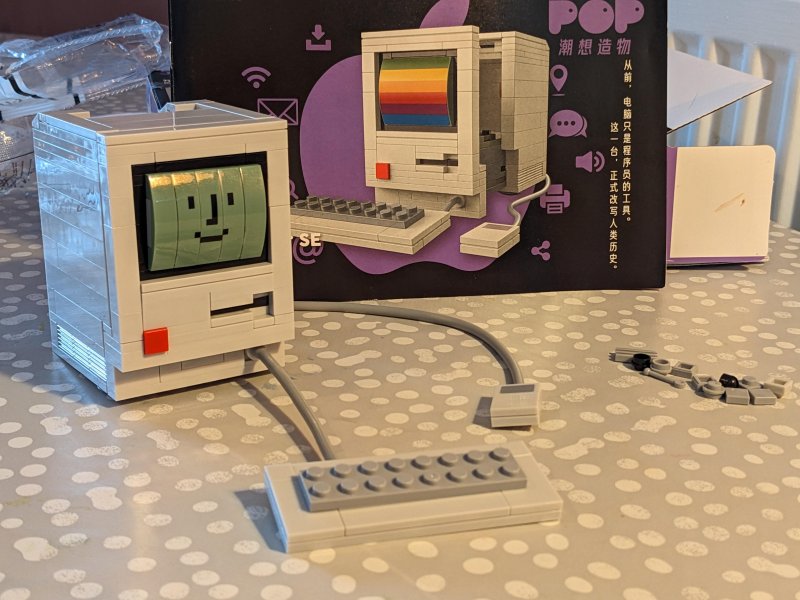 Jaki Maker Pop: Personal Computer SE 1984
Enjoyed building this small model that I bought from AliExpress.
It's a very detailed facsimile of the Macintosh 128k, and can be completed in around 45
social.omgmog.net
A novel use of font ligatures
Sans Bullshit Sans. The font that replaces every buzzword by a Comic Sans-styled censorship bar
Slash pages are common pages you can add to your website, usually with a standard, root-level slug like /now, /about, or /uses. They tend to describe the individual behind the site and are distinguishing characteristics of the IndieWeb.
 slash pages
A guide to common pages you can add to your website
slashpages.net
The VR Design Paradox

Fiddling around with a convoluted method of setting up macro keys on Mac OS. I'm using the old faithful Pimoroni RGB Keypad with a Pico, some basic CircuitPython keyboard stuff, and these two nifty apps:
switchaudio-osx: CLI utility to switch audio source
icanhazshortcut: shortcut manager to bind any keyboard combo to any command
Anyway it's working nicely for me right now! So far I've got headphone/speaker output toggles and volume control sorted. Just 12 more keys to assign 🤔
A good explainer and diagrams of how UTF-8 works with emoji
History, data and alcohol. Super interesting!
When did people stop being drunk all the time?
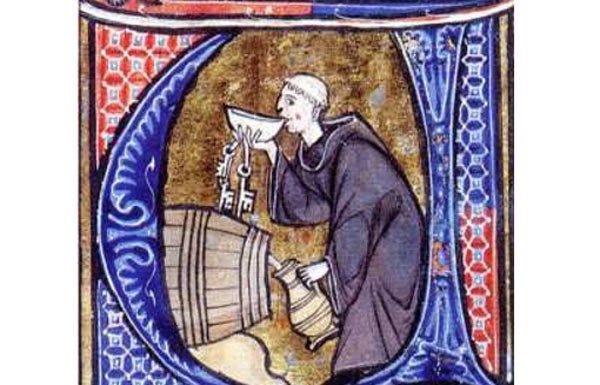 When did people stop being drunk all the time?
Trends in alcohol consumption from the middle ages to the modern world tell a story.
lefineder.substack.com