WebGL2 from the ground up. No magic.
 WebGL2 Fundamentals
Learn WebGL2 from the ground up. No magic
webgl2fundamentals.org
 Max Glenister
Links, videos and the odd note, posted here first and shared to Mastodon. The best of each week ends up in Links Worth a Look on the blog.
WebGL2 from the ground up. No magic.
WebGL2 Fundamentals
Learn WebGL2 from the ground up. No magic
webgl2fundamentals.org
This is a really impressive feat, and the ultimate asymmetrical VR experience!
The process of making a multiplayer-cross-platform video game that has parts that run on everything from a tiny microcontroller to a high end VR setup

This is how the cover art of Defender of the Crown (1986) was made
 This is how the cover art of Defender of the Crown (1986) was made
Every now and then, I like to focus on game covers here on this site. I started with a series of articles in Swedish that I never finished (there will be a second part though), and I recently wonde…
spelpappan.se
I've posted a short blog post about shutting down Dingoonity.org after 14 years https://blog.omgmog.net/post/saying-goodbye-to-dingoonity/
 The end of Dingoonity | The blog of Max Glenister
If you were familiar with Dingoonity, you might have noticed by now that I’ve made the decision to shut down the website.
blog.omgmog.net
I've jumped on the ChatGPT bandwagon lately. Using Open AIs implementation. I can see how conversational interfaces are going to revolutionize the way we use search.
Take my example from today - I wanted to batch convert a directory of PDF files to PNG:
Me:
How can I easily convert a directory of pdf files to png
AI:
You can use an open-source command-line tool called "ImageMagick" to easily convert a directory of PDF files to PNG images. Here's how to do it:
Install ImageMagick: You can download ImageMagick from their official website and install it on your computer.
Open a command prompt or terminal: Navigate to the directory where your PDF files are located.
Run the following command:
magick mogrify -format png *.pdfThis command will convert all the PDF files in the current directory to PNG format. The converted PNG files will have the same name as the original PDF files, but with the .png extension.
If you want to convert the PDF files to a different image format, such as JPEG, you can simply replace "png" in the command with "jpg" or the desired image format.
Note that ImageMagick can also be used to convert individual PDF files to PNG images by using the "convert" command. Here's an example:
magick convert example.pdf example.pngThis will convert the file "example.pdf" to a PNG image called "example.png".
Me:
how would I set the output resolution?
AI:
To set the output resolution for the converted PNG files, you can add the -density option to the ImageMagick command. The -density option specifies the number of pixels per inch (PPI) for the output image. Here's how to set the output resolution to 300 PPI:
magick mogrify -density 300 -format png *.pdfThis command will convert all the PDF files in the current directory to PNG images with a resolution of 300 PPI. You can adjust the resolution to a different value by changing the number after the -density option.
Note that the output image size will depend on the original PDF file's dimensions and the resolution you set. If the PDF file is large, the output PNG file may also be large in size. You can also use the -resize option to resize the output image to a specific size after converting it.
Me:
How would I make the transparent areas of the converted images be white?
AI:
To make the transparent areas of the converted images be white, you can use the -background and -alpha options in the ImageMagick command. Here's an example command that sets the transparent areas to white:
magick mogrify -background white -alpha background -flatten -density 300 -format png *.pdfThis command does the following:
-background white: sets the background color of the image to white.-alpha background: tells ImageMagick to treat transparent areas as background.-flatten: merges the alpha channel with the background color to create a fully opaque image.-density 300: sets the resolution of the output image to 300 PPI.-format png: sets the output format to PNG.
Visual design rules you can safely follow every time
I finally got around to publishing a blog post about the movies I watched in 2022.
The Movies I Watched in 2022 | The blog of Max Glenister
Through 2022 I kept track of most the movies I watched.
blog.omgmog.net
Open UI: The missing industry standard definition of UI
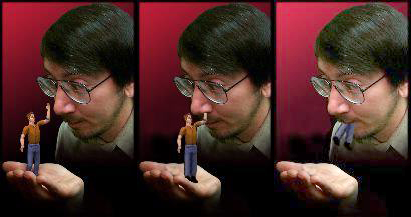
Will Wright on Designing User Interfaces to Simulation Games
 Will Wright on Designing User Interfaces to Simulation Games (1996) (2017 Video Update)
A summary of Will Wright’s talk to Terry Winograd’s User Interface Class at Stanford, written in 1996 by Don Hopkins, before they worked…
donhopkins.medium.com
The Mystery of the Dune Font
Putting a name to the typeface that defined the visual identity of the science fiction series and its author, Frank Herbert
This seems like a useful tool. Lots of information that is usually a pain to compare!
Carsized: Compare car design and dimensions in a Virtual Showroom
 Fiat Tipo 2015-2020 vs. Porsche Macan 2014-2018
Fiat Tipo Hatchback 2015-2020 vs. Porsche Macan SUV 2014-2018. Compare car dimensions (length, width and height) vs. street perspective.
www.carsized.com
I spent some time this evening fiddling with the UX of VR website. Pruned some dead links, de-Twittered the site, and added some multi-column goodness for wider screens.
I really wish I had the time/energy to add more content these days, but alas.
Anyway, check it out here: https://www.uxofvr.com
 The User Experience of Virtual Reality
A curated list of resources to help you on your journey into the User Experience of Virtual Reality
www.uxofvr.com
💯
Create better designed games with these comprehensive guidelines that feature classic design principles combined with modern accessibility standards.
This really does seem handy!
Shopify/handy: The eastiest way to mocap your hands! We developed this tool in order to streamline the process of capturing hand movements from Meta Quest headsets and bringing them into Blender for use in animations.
 GitHub - Shopify/handy: The easiest way to mocap your hands!
The easiest way to mocap your hands! Contribute to Shopify/handy development by creating an account on GitHub.
github.com
Remaking Old Computer Graphics With AI Image Generation Can AI Image generation tools make re-imagined, higher-resolution versions of old video game graphics?
How many layers of UI inconsistencies are in Windows 11?
 State of the Windows: How many layers of UI inconsistencies are in Windows 11?
Hello and happy new year! It’s 2023, and Windows 11 is finally a mature operating system that most people would be happy to use. Sun Valley has finally arrived, and it’s all about a lon…
ntdotdev.wordpress.com
When to hold ’em and when to fold ’em: Adding a hinge to a Game Boy that God never intended
Over 16,000 people still using their Pebble watches! I still go back to my Pebble Time from time to time 🥁
Some great points! 👍👍
Why is VR more restrictive than my 27” monitor? Doesn’t that defeat the entire point?
Being able to manipulate and configure the environment in a way that is comfortable and bespoke to a user is probably the best end goal. Once we've gotten over the novelty of the new interaction paradigms, maybe this will become the norm.
We should be looking to VR headsets as an alternative to standard displays. The default for an experience should not be a full body workout.
One of the most limiting factors for me as a healthy type-1 diabetic is having a blood sugar crash after 30 minutes of using my full body as a controller in a game.
Monocraft A programming font based on the typeface used in Minecraft
DOOM as you didn't realise you needed it!
Voxel DOOM: A mod that replaces 2d characters and props from Doom with fully 3d voxel-based models.
 Voxel Doom mod
A mod that replaces 2d characters and props from Doom with fully 3d voxel-based models.
www.moddb.com
These are all amazing game UI/UX resources.
The best collection of the most beautiful, exceptional and inspiring video game interfaces and screenshots.
Explore a collection of video games interfaces, screenshots, and clips. Take a look at all the fragments that make up a video game, and find inspiration for your designs.
The Game UI Database was created as a free resource for UI/UX Designers in the games industry. It was built to aid in the discovery of new inspiration, and to provide a fast and efficient way of searching for reference materials.
Following on from the essential games user reading list; this post is an introduction to some of the fantastic video resources available online. Ranging from 101 introductions to in-depth guides, ‘day in the life’ and more – video resources are a useful for learning about UX and games user research (GUR) alongside books, articles, and classes.
Open Source Game Clones
Open-source or source-available remakes of great old games in one place
Making a Video of a Single Window
PHONK is a coding playground for new and old Android devices.
Create scripts rapidly from your phone or using the remote Web Editor on your computer using Javascript. The API is simple and extensive. GUI, audio, graphics, Bluetooth BLE, Arduino, OSC, MIDI, and much more.
 PHONK
Self-contained Creative scripting toolbox for new and old Android devices
phonk.app